Guide to Volition
For organisation support staff
1. Introduction
Volition is a tool for Supported Decision Making. It is an app for saving and sharing preferences.

For Decision Makers
The Decision Maker is the person that the information in Volition is about. They may have care and support needs. Volition can be used to record their preferences:
- What they like
- What they need
- How they want to be supported
Volition is a way to record and share this important information in their voice and on their terms.
For support staff
A Supporter is someone who helps a Decision Maker to use the app. Volition gives supporters a quick and reliable way to learn what matters to the people they support before, during and after every interaction.
Supporters can arrive prepared and deliver more person-directed support.
Your organisation has partnered with Volition.
This guide is for organisation support staff who will use Volition as part of their paid work.
Supported Decision Making
Supported Decision Making is an approach that keeps the person at the centre of their own life.

It means supporting someone to make their own decisions instead of making decisions for them. Support should be grounded in honouring what is important to the person. This is sometimes called their “will and preference.”
As a staff supporter
Your role is to:
- acknowledge
- interpret and
- respond to the person's expression of will and preference.
Preferences may be communicated with words or behaviours.
This will often involve helping the person understand their options, the consequences, and to act on their choices. Their voice comes first.
Supported Decision Making is a human right!
The United Nations Convention on the Rights of Persons with Disabilities (UNCRPD) says that:
- Everyone has a right to make their own decisions
- Everyone has a right to access support to make their own decisions
- Everyone has a right to experience the outcomes of their decisions
Volition users
Volition Decision Makers are people with care and support needs. They often have a variety of people that support them.

This support could be ongoing, regular, or occasional. There are a range of ways to use Volition to match every situation.
Decision Makers
This is the person that the information in Volition is about. They own their data and can control who sees it.
Supporters
People with ongoing access in the Decision Maker's Circle of Support. They could be friends, family or personal carers and are not using Volition with an Organisation.
Guest supporters
These are people outside of a Circle of Support that have temporary access. They might have access to one preference or a group of preferences. They do not need their own account and their access expires after seven days. Information is shared with Guest Supporters through links or QR codes.
Organisations
Agencies that provide a service and have ongoing access inside the Decision Maker's Circle of Support. There are several different roles that Organisation team members may hold:
-
Org support staff (this guide is for you)
Support workers that directly work with Decision Makers. They have access to the preferences that the people they support have chosen to share with the organisation.
-
Org managers
Team leaders or coordinators who manage staff access and relationships within the organisation's Volition account.
-
Org account owners
Responsible for the organisation's Volition account.
Volition is a Social Enterprise on a mission to empower everyone to be the Decision Maker in their own life. We built accessible digital tools to make this happen.
Find out more at volition.org.nz
Getting started
Get set up
Your organisation will send you a staff invite from Volition.
It is important to join using this email invite. This is the only way to connect with your organisation.
-
1
Accept your invitation
Open the invitation email and click the link that says 'Yes, I want to connect.' This will take you to your Volition registration page.
-
2
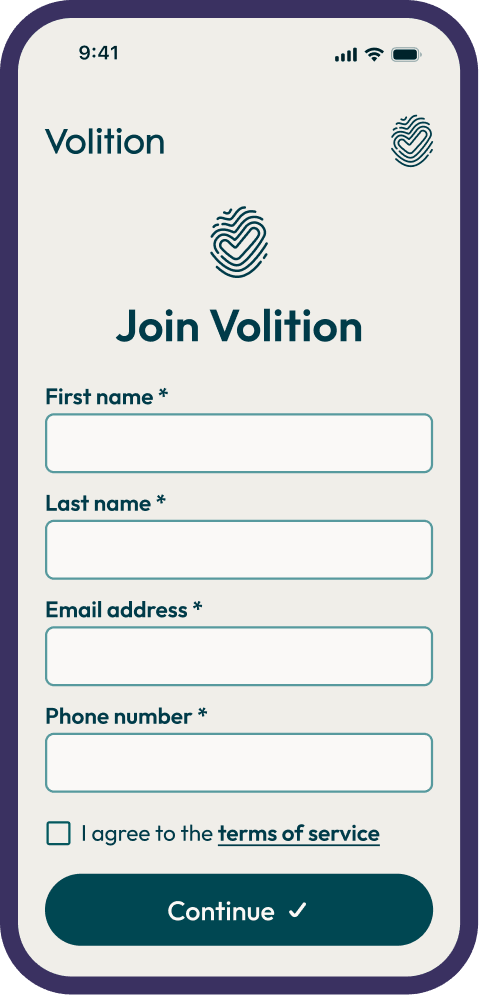
Register your account
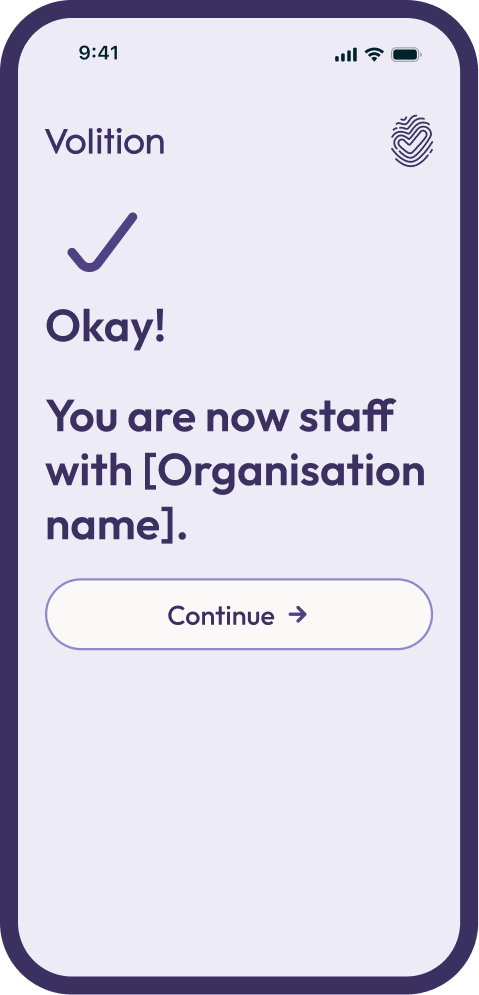
Enter your name, work email and phone number, then agree to the terms of service and continue. Okay! You are in.
You do not need a password. Volition uses email login links and passkeys to stay secure.
Use the Volition app, or go to volition.tools on any web browser, using your work email.


You will remain logged in on that device for a year, unless you log yourself out sooner.
-
3
Review your circle of support
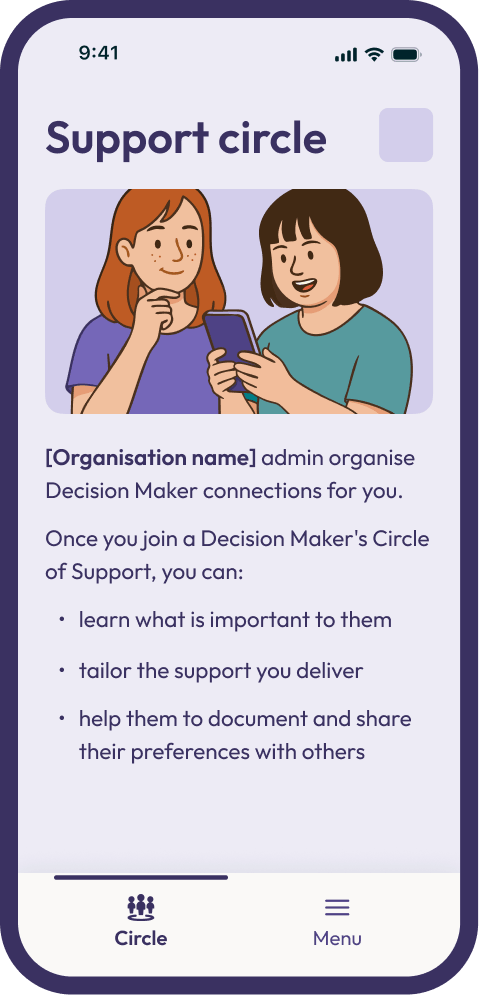
When you enter the app you will land on the 'Circle' page. This is where you will see the Decision Maker(s) you have been assigned to support.
By default you can explore all of their general Volition preferences, their personal profile, and their contact details.
None
One
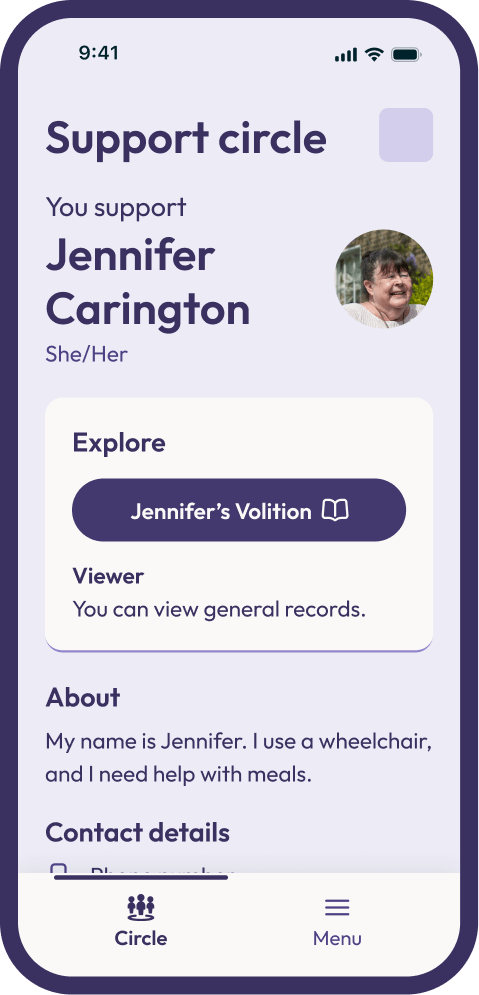
Many
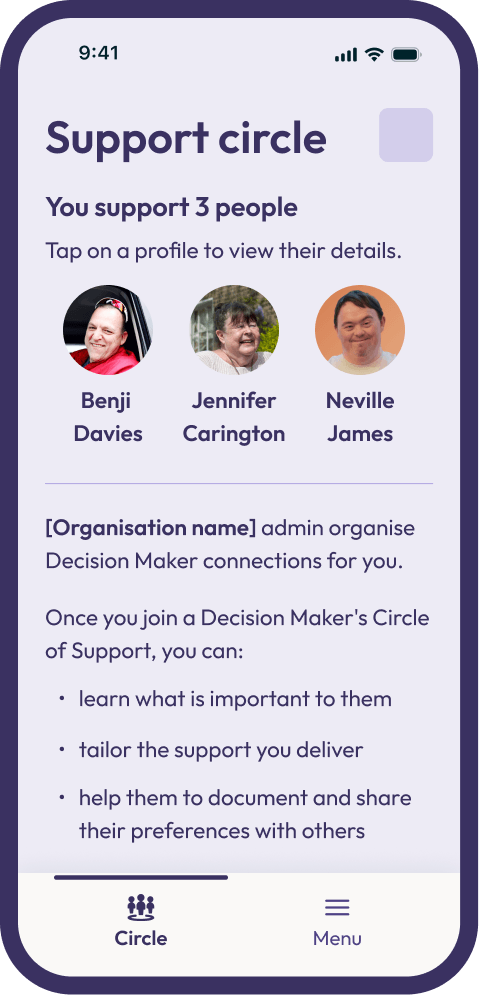
If your organisation's logo is showing in the top right of your Circle screen, that means you are properly set up.
If not, please contact your manager.
-
4
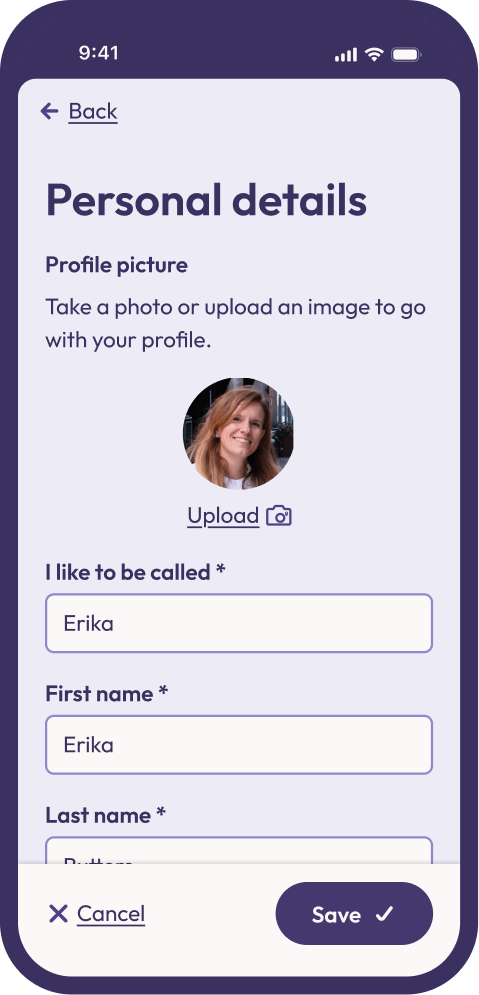
Complete your profile
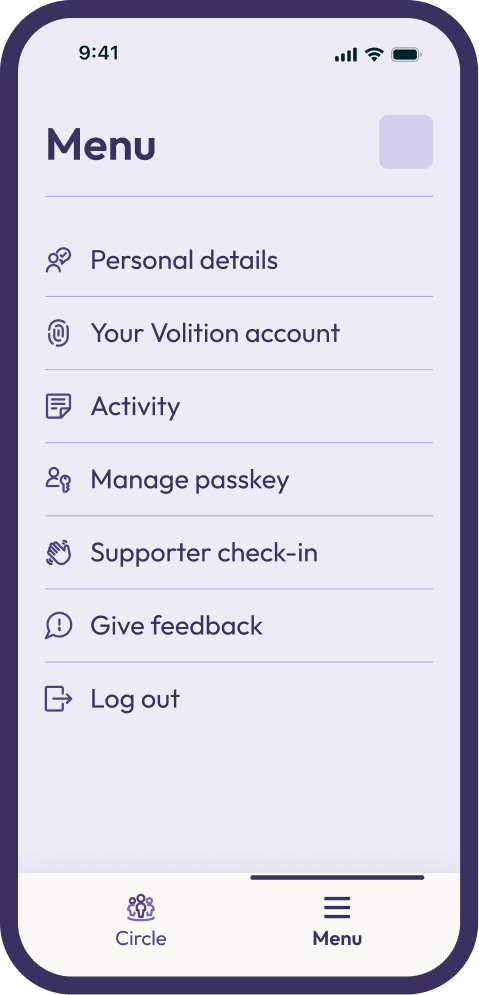
The Decision Makers you support will see your details when you are added to their Circle of Support. A clear photo and full name can help to build trust. Select 'Edit' to add your details.
-
5
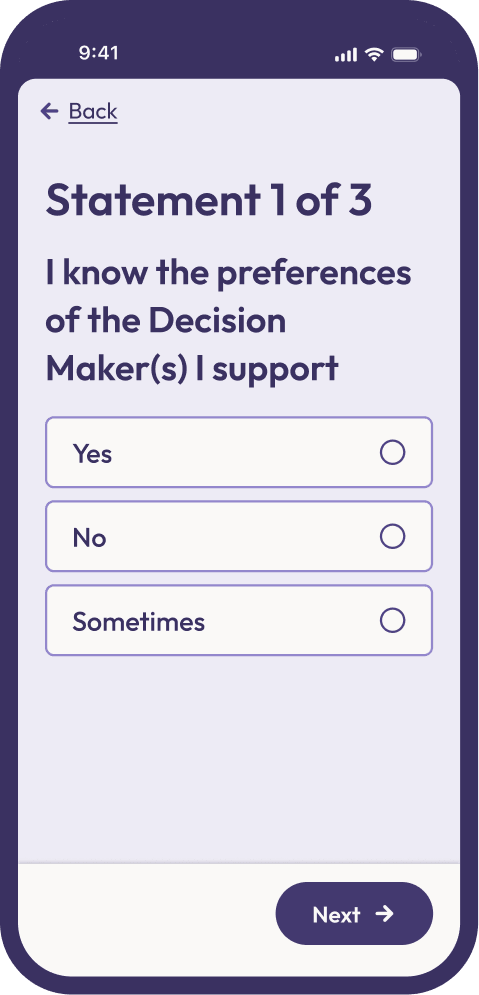
Complete your check-in
When you start using Volition, we want to ask you some questions to understand your current experience. Go to the Menu on the bottom right, and choose 'Supporter check-in' to answer 3 quick questions.
We will ask you these questions again later to see how your experience changes over time.
Get connected
Before you can see someone's preferences in Volition, you need to be connected to their Circle of Support.
Your organisation will make connections for you. They can assign you to have "Viewer" access. If you want more permissions, the organisation can ask the Decision Maker for this on your behalf.
Decision Makers can also invite you directly — they can share a link or QR code from their app. Once you click it or scan it, you are in their circle. They can choose what permission level they want you to have.
If you connect with a Decision Maker that has not yet set up their account, they will not have preferences to view. You can support them to get started. See the Decision Maker Guide for steps on how to do this.
Before visiting a person you support:
- Check your permission level in their profile
- Start a Support Session before you arrive
- Review the preferences of the person
- Note things you want to explore or ask about
Boundaries
Your responsibility
When you access someone's preferences, you are handling personal information. This comes with responsibilities.
- Only access information you need to do your job.
- Do not share someone's preferences outside of Volition without their permission.
- Do not copy or store preference information in personal devices or unapproved systems.
- If you notice information that seems incorrect, tell your manager — do not attempt to edit it without discussing it with the Decision Maker.
If you have any concern about data security, contact your organisation's Account Owner, or Volition at info@volition.org.nz.
Volition complies with the New Zealand Privacy Act 2020. Your organisation's agreement with Volition also sets out obligations for how data is handled.
Accountability
Every action taken in a Decision Maker's account is recorded. This includes who viewed, added or edited something, and when.
Recent activity is displayed at the bottom of each preference record, and a complete Activity section is available for each account in the app Menu.
This transparency builds trust and gives Decision Makers visibility over how their information is being used. It also provides oversight for your organisation.
If a Decision Maker has questions about any activity in their Volition, please be ready to explain.
If you would not want the person to know you accessed their information, ask yourself whether you should be accessing it.
Permission
Decision Makers control what you can see and do in their Volition.
As a supporter in their Circle of Support, by default you can view a Decision Maker's general preferences.
Ask your Manager if you need more access. They can request different permissions on your behalf.
The Decision Maker can choose to approve or decline these requests. Do not ask a Decision Maker directly.
What you see
General
By default you can view the Decision Maker's general preferences. You cannot see preferences they have marked as private.
All records
You can see all preferences, including private ones. The Decision Maker has specifically trusted you with this.
You cannot see someone's private preferences unless they specifically give you access.
Respect this boundary — private means private.
What you do
Viewer
By default, you can only view records.
Contributor
You can add notes and media to existing preferences.
Editor
You can create and edit preferences on behalf of the Decision Maker, with their agreement. The Decision Maker has specifically trusted you with this.
What you see, and what you do, are separate permissions, so different combinations are possible to help you provide the right support.
For example, you could get:
- General editor access
- All records contributor access
Accounts on behalf
If a Decision Maker needs support to get started with Volition, a Manager or Account Owner can create a profile on their behalf.
Creating a profile on behalf of a Decision Maker is a last resort. Before this happens the Manager or Account Owner should double check:
- If the Decision Maker already has a Volition profile
- If the Decision Maker can create their own profile, with support.
If an organisation creates an account on behalf of a Decision Maker, the organisation assumes the role of Admin. This means the organisation can assign viewer, contributor or editor roles. The Decision Maker is not actively using the app and is therefore unable to approve suggestions themselves.
The organisation can invite the Decision Maker to take over their Profile at any point in the future.
Support sessions
How to start a session
Access a Decision Maker's preferences at any time, from your own Volition account.
-
1
Open your Volition
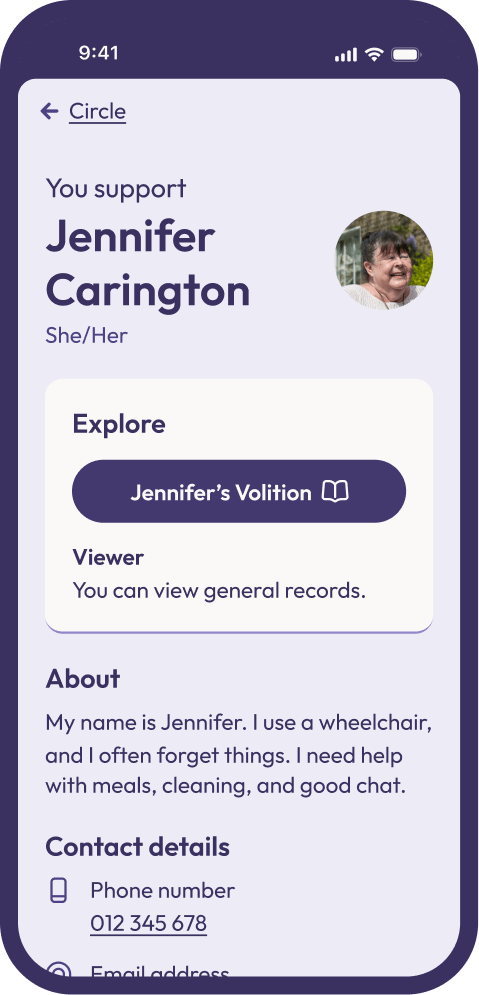
If you are supporting multiple Decision Makers, choose the profile you want to access from the Circle page.
If you are supporting only one Decision Maker, their full profile is already open on the Circle page.
-
2
The Decision Maker's Volition
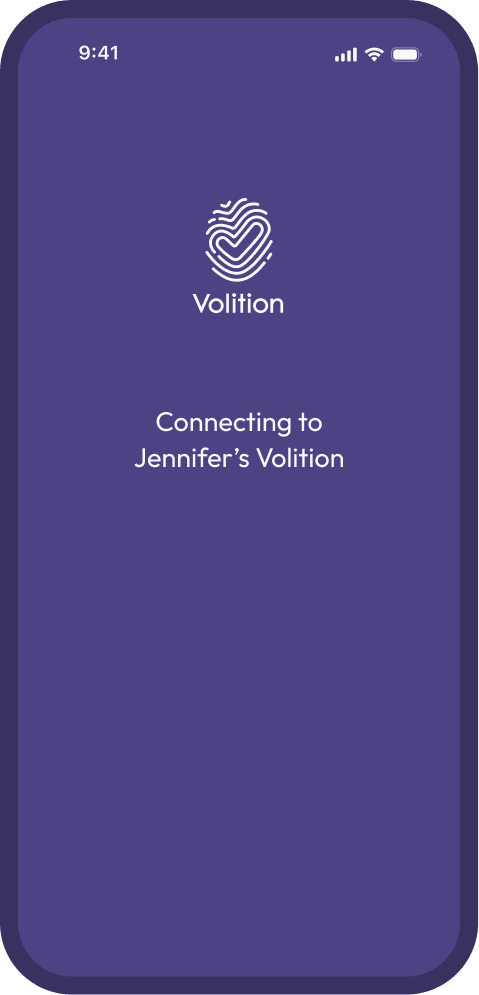
Select the Decision Maker's Volition button to start a support session. A purple screen will confirm that you are connecting to the Decision Maker's Volition.
-
3
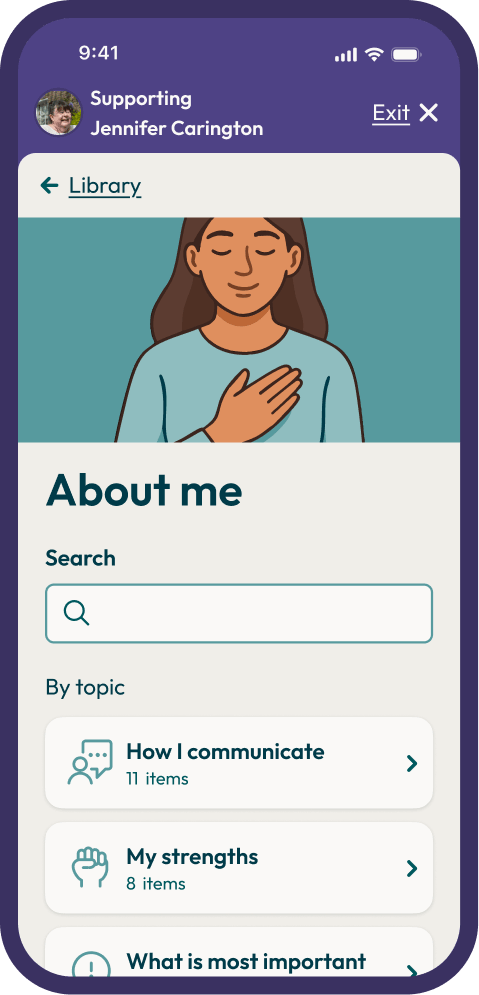
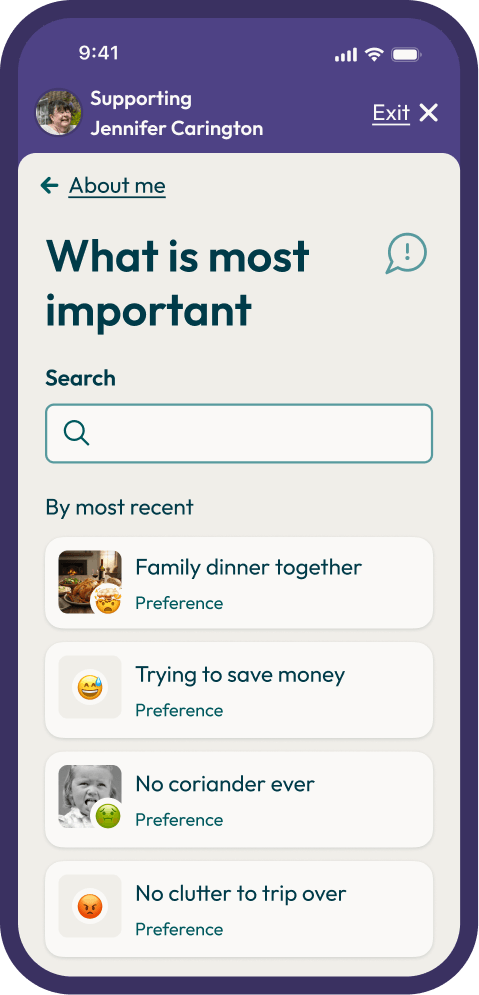
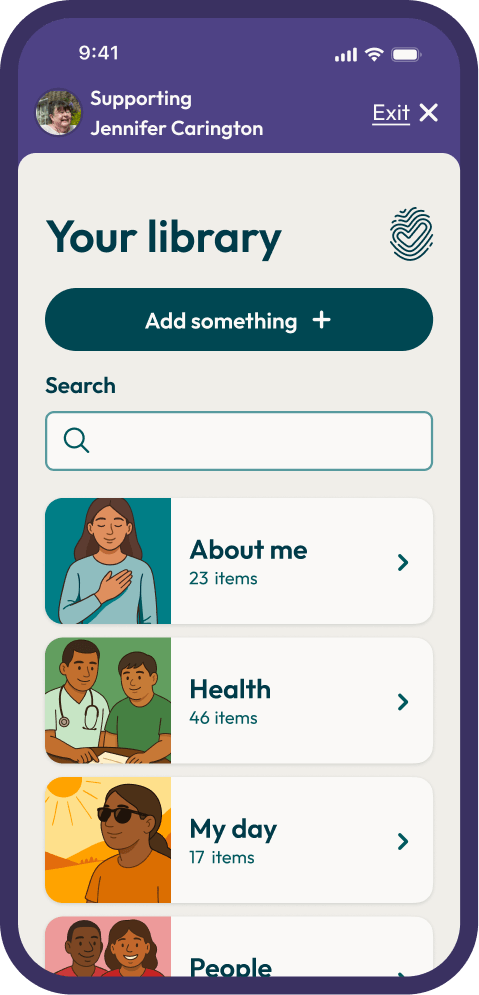
Library of preferences
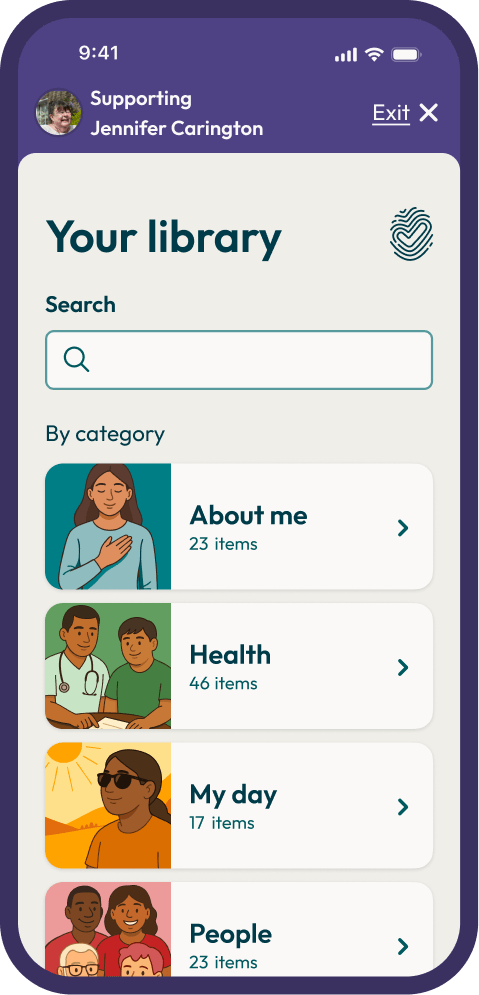
You are now looking at the library of preferences the Decision Maker has shared with you. Use the search to quickly find specific things, or explore by category and topic.
-
4
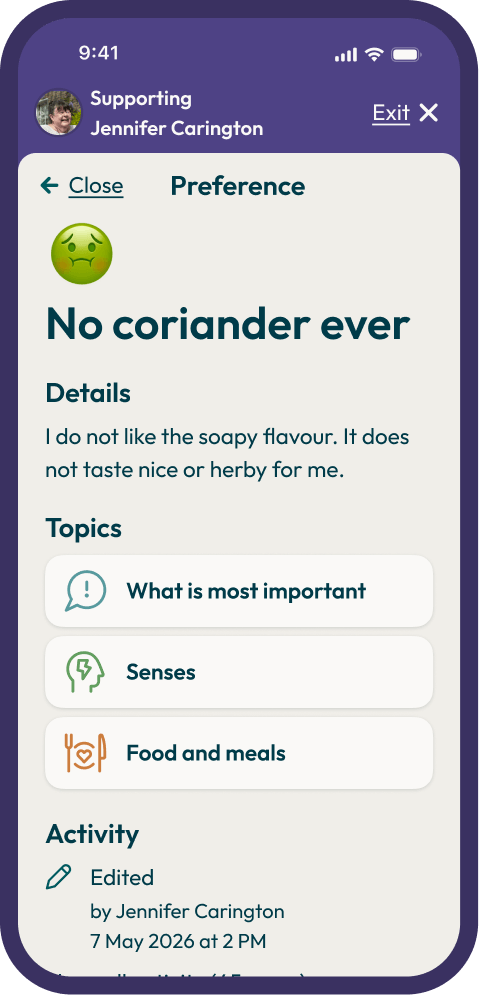
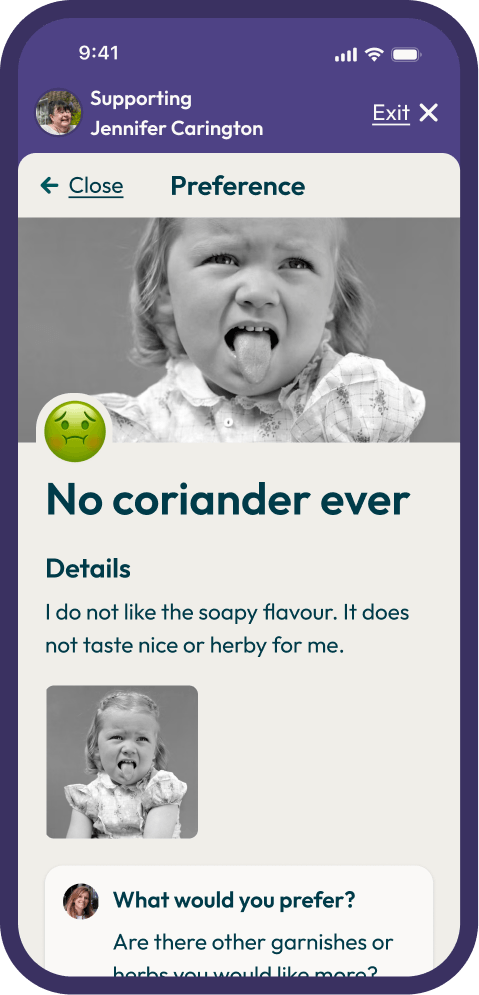
Learn what is important
Read their preferences and learn what is important to them. Consider how you can build this into the support you deliver. Look for updates and arrive prepared.
This is a simple approach to improving someone's experience of being supported. This approach gives them self-determination.
-
5
Exit when done
When you are finished, you can leave by selecting 'Exit' in the top right hand corner. This brings you back to your own Volition.
If you are using Volition on a shared device, please ensure you go to the 'Menu', and select 'Log out'.
Before, during and after
Before each visit
Before each visit with a Decision Maker, open Volition and start a support session. Spend a few minutes becoming familiar with the preferences of the Decision Maker you are supporting.
During or after a visit
You can check if they would like your support to add any more information into their preference library.
If you have Contributor or Edit permissions, you will be able to do this on their behalf, or add your own insights in notes, adding photos, videos, audio or files.
What you can do
Viewers
You can use the search to find specific things, or browse the categories and topics to see what information has been saved.
Each category and topic shows a label to show how many preferences are available for you to view inside.
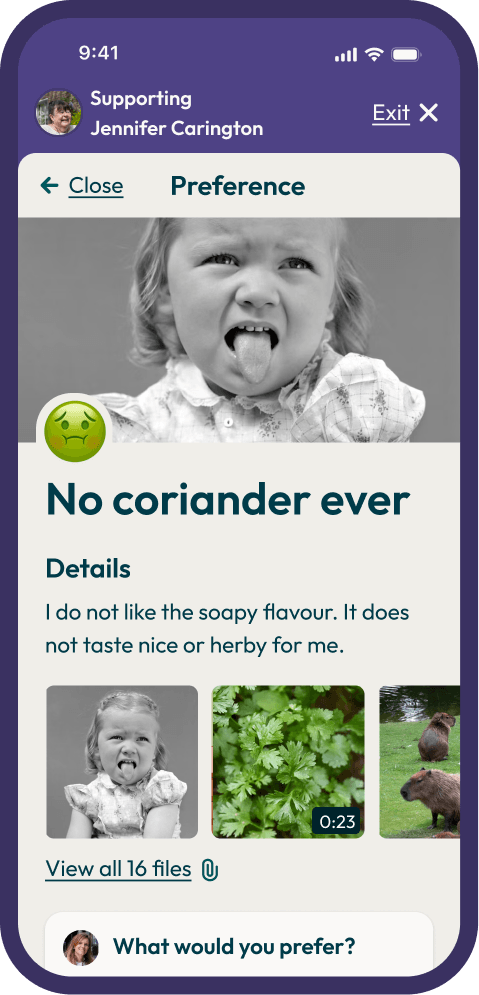
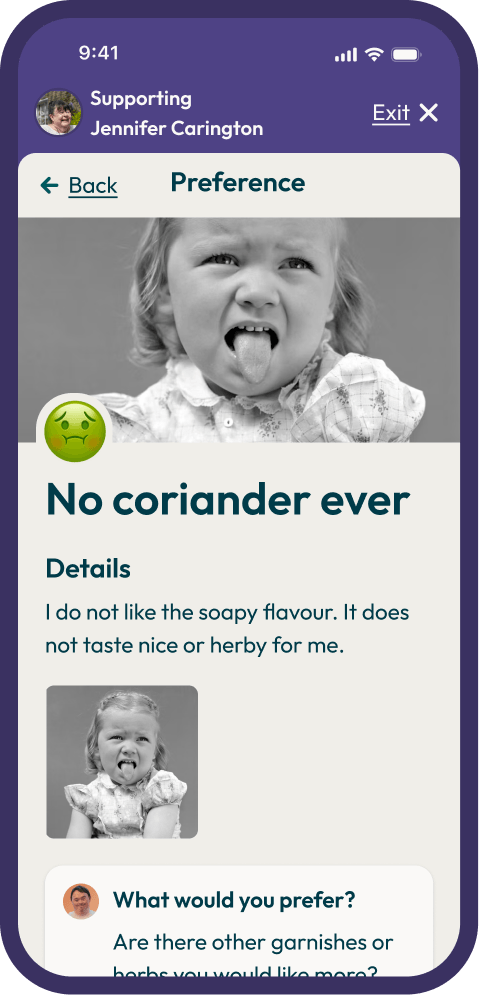
Tap in to any preference to read the full details.
Preferences may also have photos, notes, voice recordings, or videos attached. These can give you a richer understanding of what the person is communicating.
Over time, the preference library becomes an invaluable source of information and evidence to inform service planning, delivery and evaluation.
Contributors
As a Contributor you can add your own insights and observations to the Decision Maker's Volition.
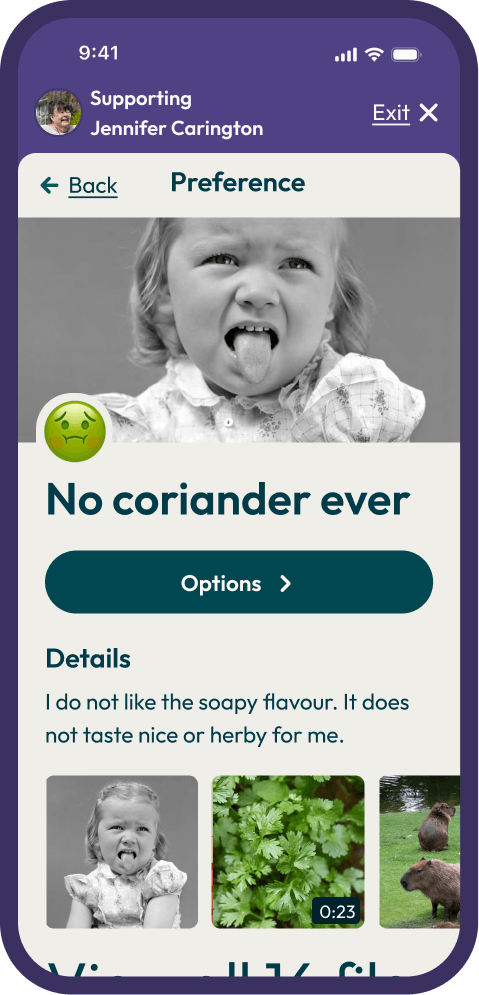
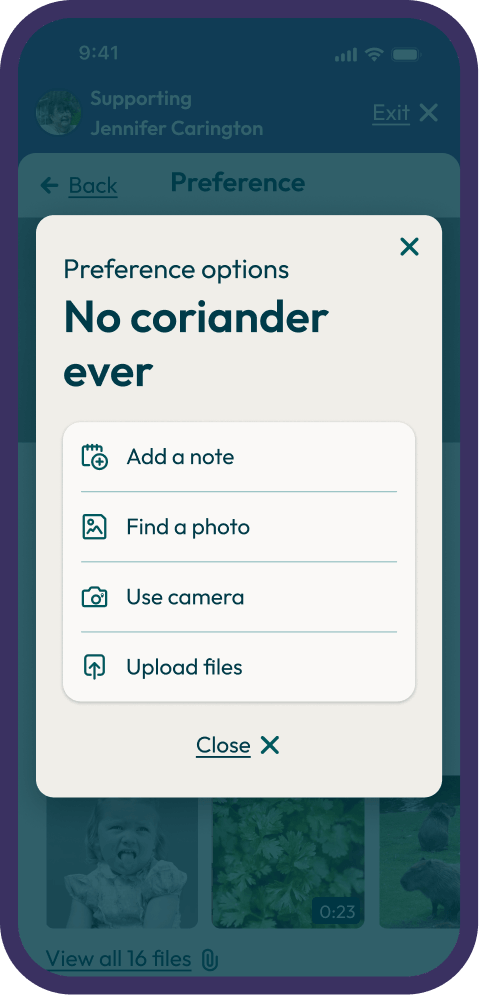
When viewing the preference you want to contribute to, select 'Options' and then:
- Add a note
- Find a photo (using stock photos from Unsplash)
- Use camera (if on mobile) to take photos or video
- Upload files, like photos, video, or audio
Editors
As an Editor you can do what Contributor can, plus you can also create and edit preference records on behalf of a Decision Maker.
Please respect a Decision Maker's choices and only make changes when necessary, and with their consent.
If a Decision Maker wants to create a new preference, open a support session and tap 'Add something'.
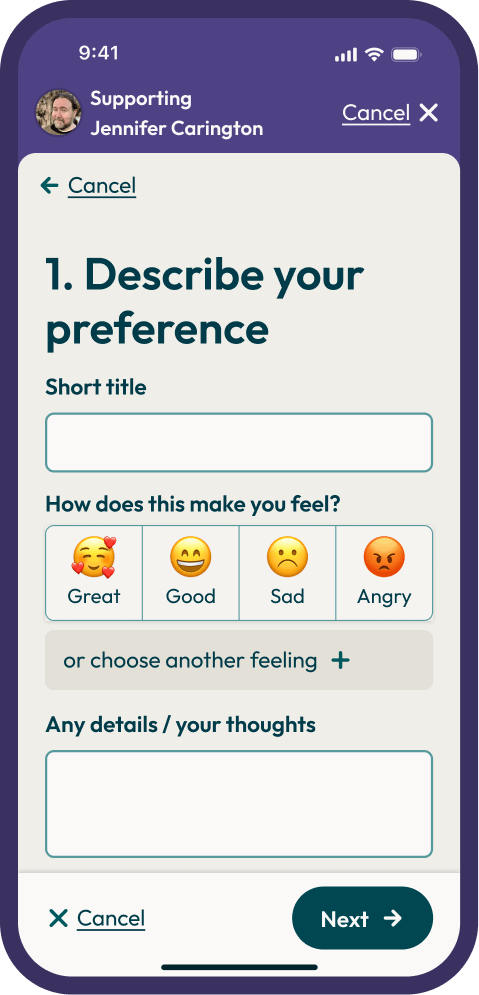
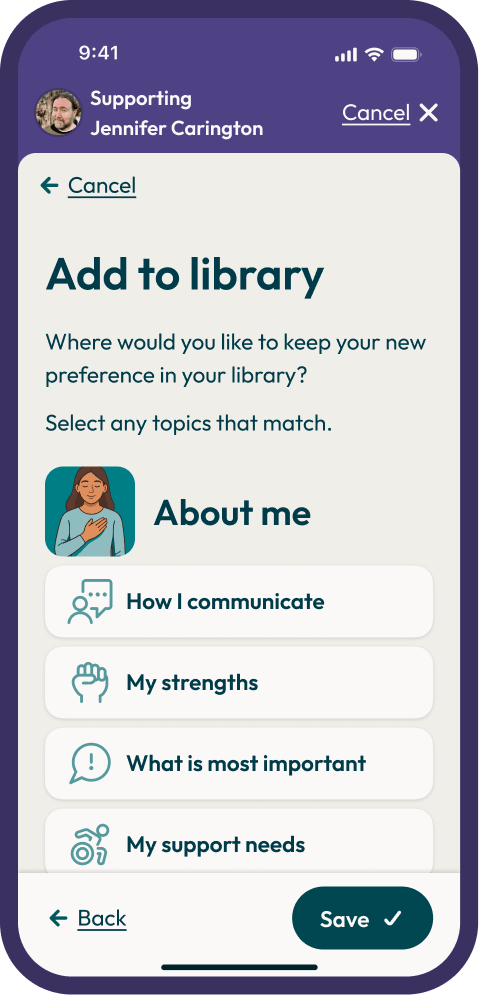
Work through the steps together. Let them lead — your role is to help. Their preferences are their voice. If a Decision Maker wants to add, update or simply change details in a preference, you are able edit it. Select the preference and select the 'Options' button, then select 'Edit'.
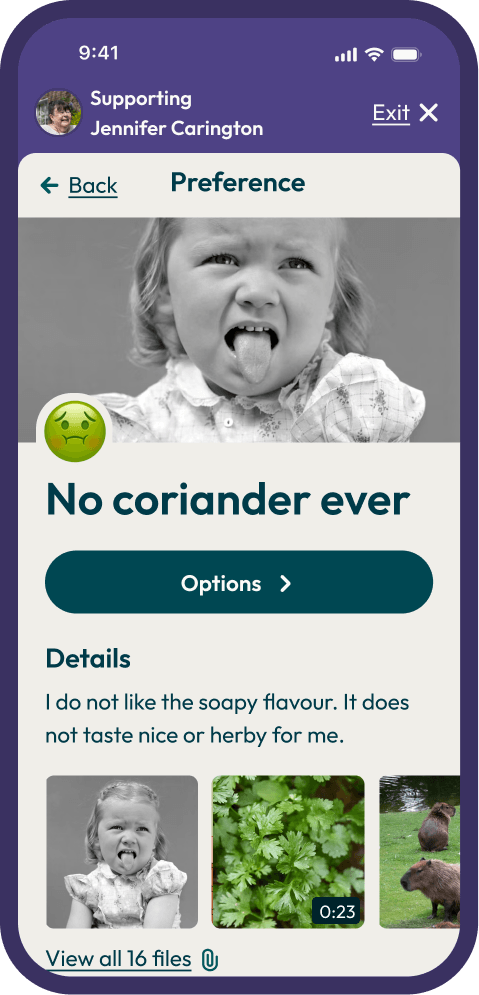
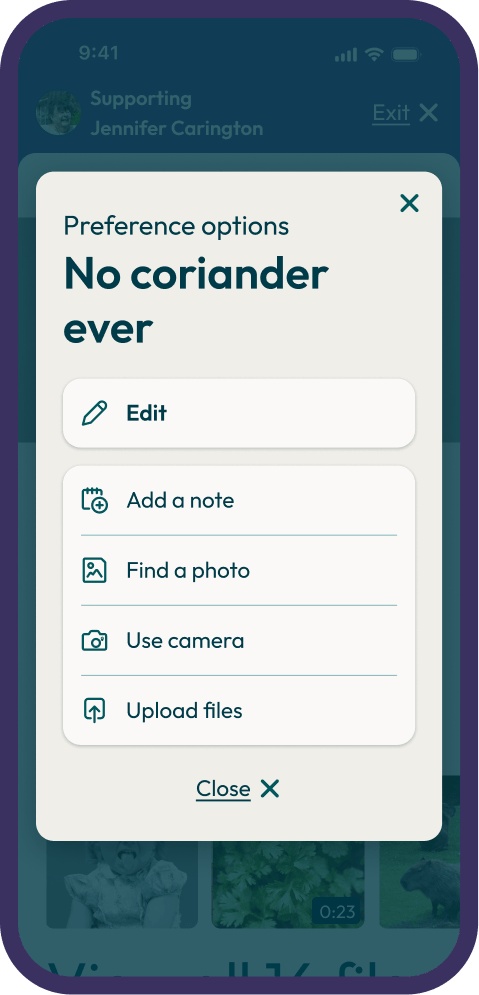
Always discuss this with the Decision Maker first. Make the change together with them — do not edit without their direction. Tap 'Save' when done.
Next steps and FAQ
Features coming soon
Volition is growing. You will be notified when new features are released, and your feedback helps shape what comes next.
Preference prompts
Suggested questions to help Decision Makers build their library.
Goals module
View and track a Decision Maker's goals.
My Health Passport
A portable health summary to share with any health professional.
My Advanced Care Plan
A tool for recording wishes about future health and end of life care.
Speech to text and text to speech
To make the app more accessible.
Support and feedback
Give us your feedback
Your experience using Volition in a real support context is invaluable. If something is not working, is confusing, or could be better — we want to know.
Send feedback to info@volition.org.nz or submit it through the menu in Volition.
How to get support
Organisation setup or access
Contact your organisation's Volition Account Owner or Manager.
Supported Decision Making
Talk to your team leader, or visit supportmydecisions.nz for general information and resources.